Add your postal address to every email
Why every outreach email needs a physical postal address, how to add yours, and what counts as a valid address.
The US CAN-SPAM Act requires every commercial email to include the sender's valid physical postal address. OmniLead adds your address to the footer of every outreach email, and a sequence can't launch until the address is set. It takes a minute and you only do it once per workspace.
Why a postal address is required
An address shows that a real, reachable business stands behind the email. CAN-SPAM makes it mandatory, and many other laws and mailbox providers treat it as a sign of a legitimate sender. Emails with a real address and a working unsubscribe link are also less likely to be marked as spam, which protects your domain.
Because the requirement applies to every email, OmniLead enforces it at the workspace level instead of relying on each teammate to remember it.
Add your address
Only workspace owners and admins can change the address.
Open compliance settings
Go to Settings → Compliance.
Enter your address
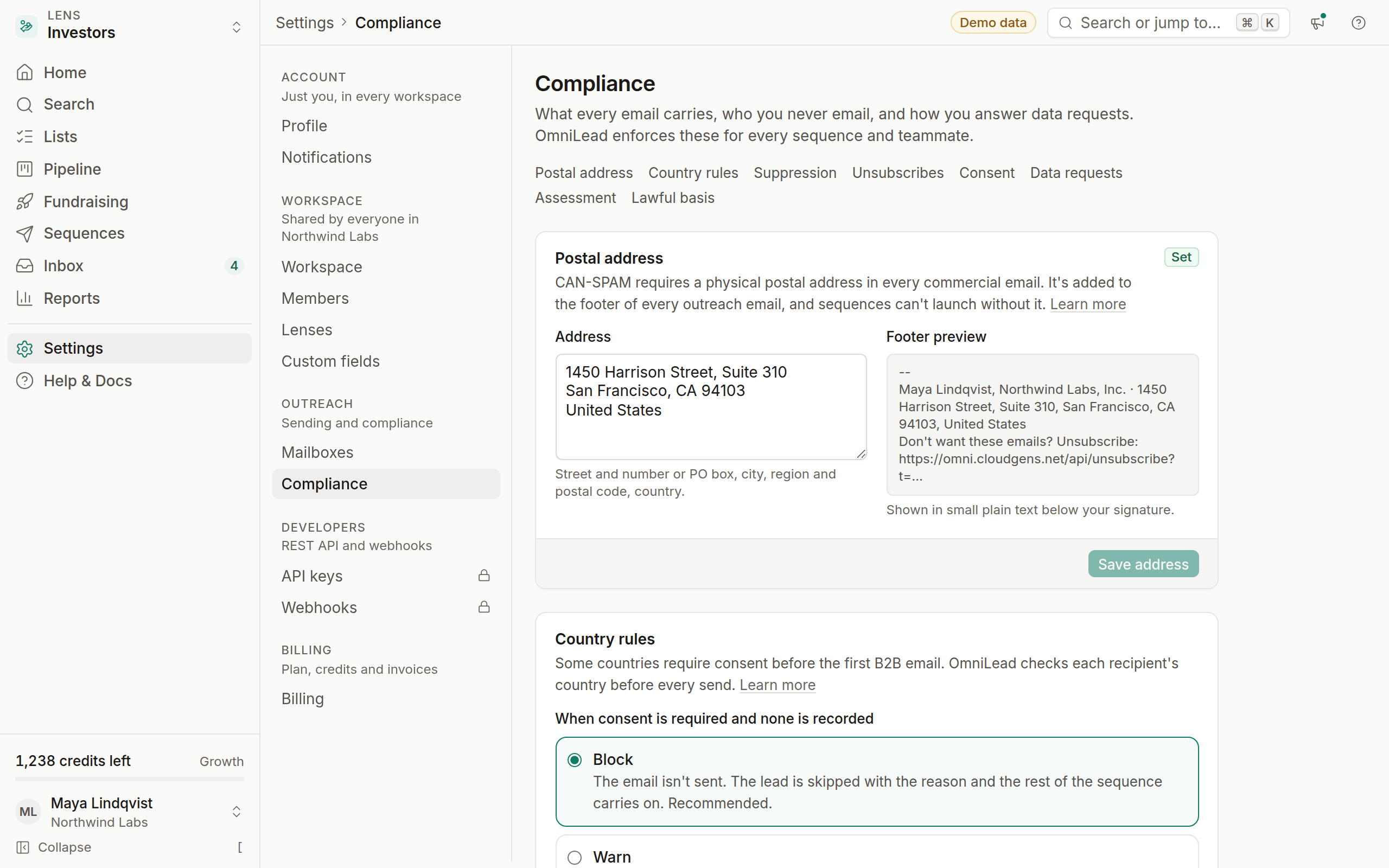
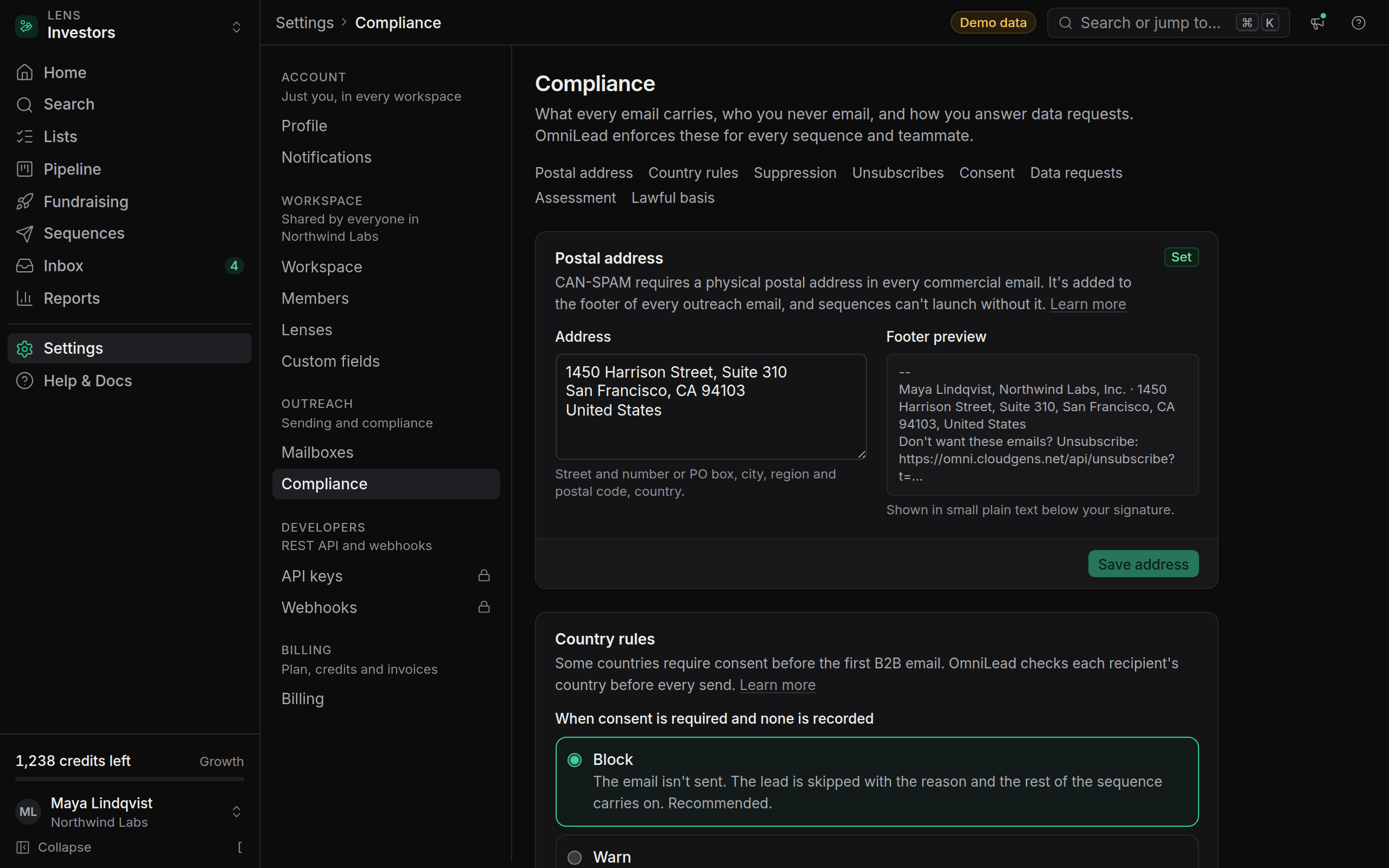
Under Postal address, type your full address: street and number (or PO box), city, region or state, postal code and country.
Check the preview
The Footer preview below the field shows exactly how the footer will look in an email, with your address and the unsubscribe link.
Save
Click Save address. The Postal address item in every sequence's pre-launch checklist turns green.
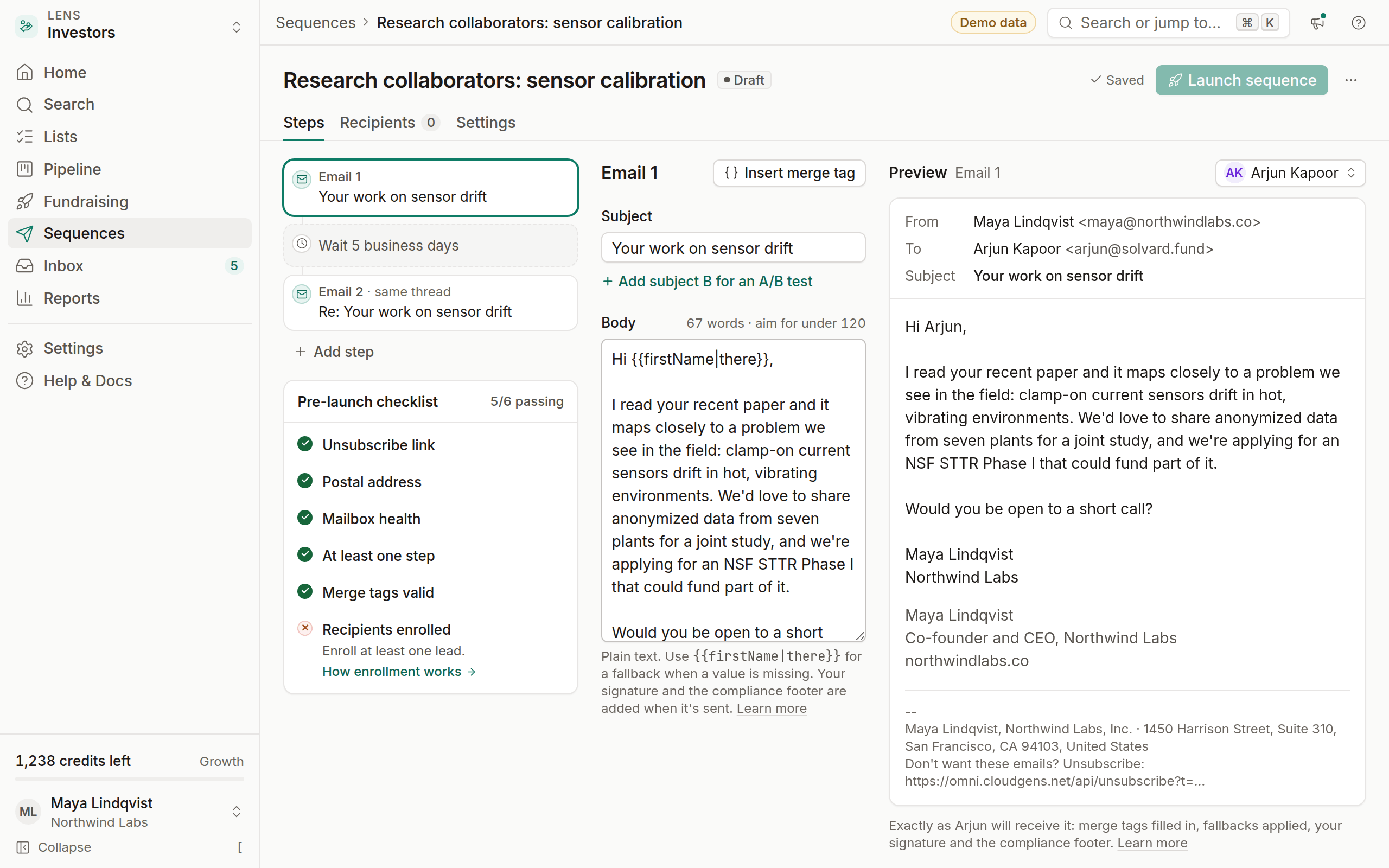
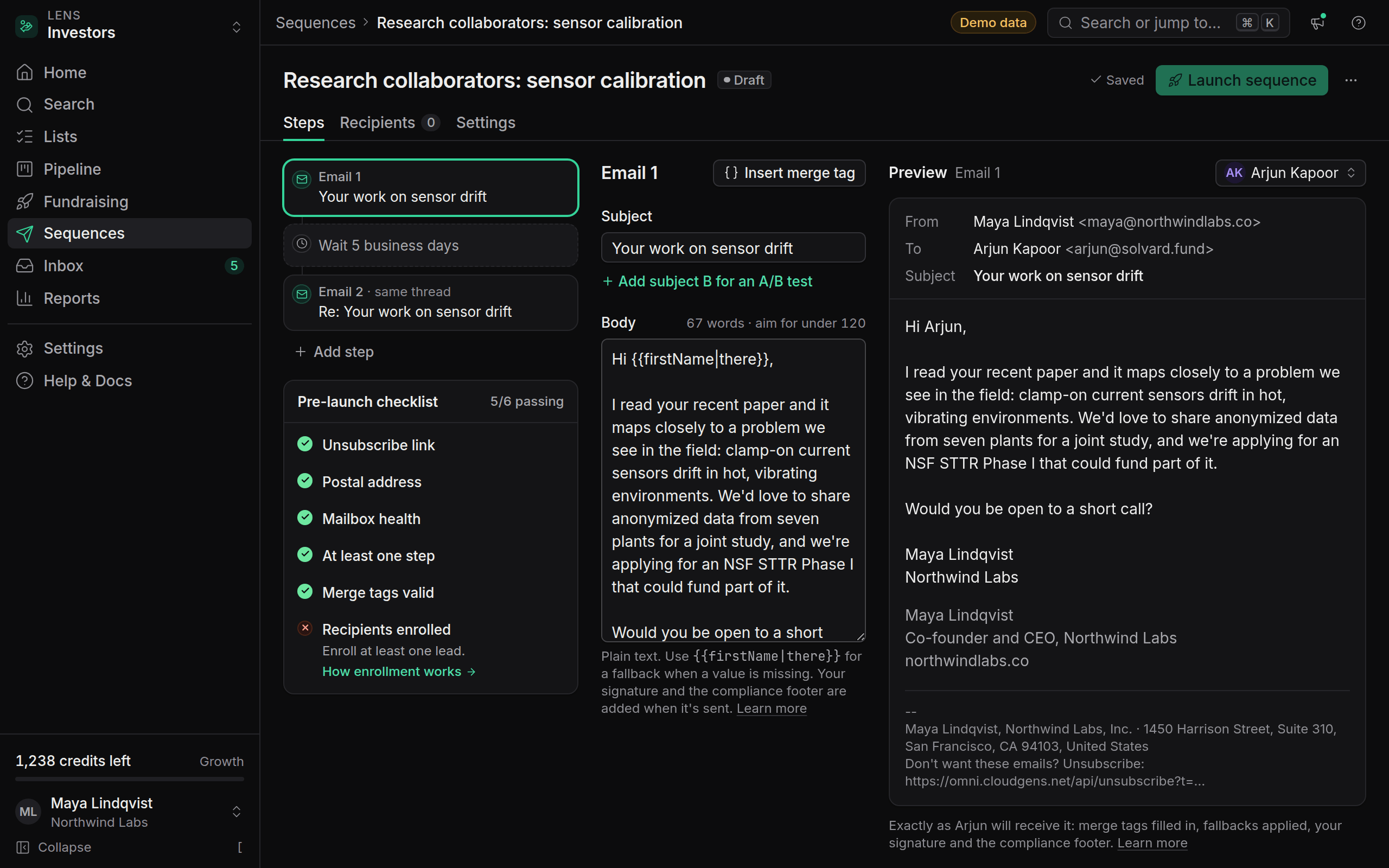
If a sequence is waiting to launch, open it again. The pre-launch checklist rechecks the address, the unsubscribe link and mailbox health, and Launch sequence becomes available once all three are green.
What counts as a valid address
CAN-SPAM accepts any of these:
- A street address where your business operates.
- A post office box registered with the US Postal Service.
- A private mailbox registered with a commercial mail receiving agency under Postal Service rules.
Outside the US, use an address where your business can receive mail. A registered office address or a mail-forwarding service works. A virtual office is fine as long as mail sent there actually reaches you.
OmniLead checks that the field isn't empty and looks like an address (at least a street or box, a city and a country). It can't verify that mail reaches you, so keep it current when you move.
How the address appears
The footer is added below your signature, separated by a thin line, in small plain text so it survives every email client:
--
Sam Rivera, Northwind Logistics Ltd · 12 Example Street, London EC1A 1AA, United Kingdom
Don't want these emails? Unsubscribe: https://omni.cloudgens.net/api/unsubscribe?t=…
The first line shows the sender's name, your company name and the address. The company name comes from Settings → Workspace → Company name, and line breaks in the address become commas. The unsubscribe link sits on the line below.
One address per workspace
The address belongs to the workspace, not the mailbox, so every teammate and every mailbox sends with the same footer. If you run outreach for several companies, such as an agency with clients, create one workspace per client. Each workspace then sends with its client's own address, suppression list and country rules.
Custom email templates
If you write an email step in HTML, the footer is still appended automatically after your content. You don't need to add merge tags for it, and you can't remove it. The same applies to replies you send from Inbox to a lead who is still enrolled in a sequence.
Do I need an address if I only email people outside the US?
OmniLead requires it for every workspace. It's the simplest way to stay compliant if any recipient turns out to be in the US, and it helps deliverability everywhere.
Can I hide the address in replies to people who wrote to me first?
Replies to someone who isn't enrolled in a sequence are one-to-one conversations and don't get the outreach footer.
Can I change the address later?
Yes. Changes apply to every email sent after you save, including the next steps of sequences that are already running.